Your server's music, open in a browser
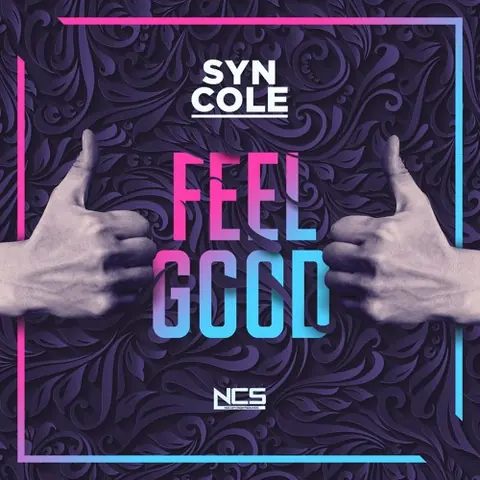
Feel Good
Syn Cole
Added by Ruth
- Heroes Tonight (feat. Johnning)JanjiMaya3:28
- On & On (feat. Daniel Levi)Cartoon, JéjaTom3:27
- FireflyJim YosefGlex4:16


What you see when you sign in
What's playing
The cover, the title and artist, how far through it is and how many people are in the voice channel. You also get the album and the year when Orpheus can match the release.Who added it
Every song in the queue shows the person who added it, Autoplay or the radio station. For the song that's playing you also see which artists autoplay is carrying on from, or who started the station.The queue
Up to the next 50 songs, each with its cover art and length, and how long they run in total.Lyrics and history
The Lyrics tab follows the song line by line when the lyrics have timings. The Played tab lists what played recently.Statistics and sessions
How much the server listened in the last 30 days, its most played tracks and artists, and each listening session with how many people were there at once.Your playlists
Import a playlist from a link or find your Spotify playlists, look through them, and play one in any server you share with Orpheus.
Control the music while you're in the voice channel
While you're in the voice channel with Orpheus, the player page works like the buttons in Discord: pause, skip, go back or stop, and move or remove songs in the queue.
The add box takes a link or a search and finds the song the same way /play does.
The server's DJ role applies here too, and so does vote to skip when it's turned on.
- This is where the words go
- Each line lights up as it's sung
- The one before it fades back
- And the next one waits below
- The list scrolls to keep your place
- Untick Follow along to hold it still
- Songs without timings show the words in full
- And an instrumental says there's nothing to show
What people with Manage Server also get
They get four extra pages: Controls, Radio, Requests and Server stats. Nothing on Controls changes until you press Save.
Controls
- Channel restrictions, for where commands work and which voice channels Orpheus joins
- DJ role, DJ-only mode and vote to skip (off by default)
- Stay in the channel (24/7) and Keep going when the queue ends (autoplay)
- Default volume, where the volume starts each time
- Player channel and an announcement for each new song
- Parts of a track to skip that aren’t music
Radio
Start a station from a mood, genre, scene, decade or chart, or type an artist's name. The page shows the station that's running.
To start one, join the voice channel while Orpheus is playing. Stop the station ends new picks, and whatever is queued still plays.
The same page fits in your hand
On a narrow screen the player comes first and the queue sits under it, so you can check what's next or skip a song from your phone while you're in the voice channel.

On & On (feat. Daniel Levi)
Cartoon, Jéja
Autoplay picked thisCarrying on from Janji, Elektronomia and 2 more
- FireflyJim YosefAutoplay4:16
- Sky HighElektronomiaMaya3:56
- Feel GoodSyn ColeRuth3:01


Add Orpheus to your server
Free to add. It asks only for the permissions it uses, never Administrator.